

# Overview

<figure><img src="https://555693537-files.gitbook.io/~/files/v0/b/gitbook-x-prod.appspot.com/o/spaces%2FaSHxmc358lcC3DkSa65Z%2Fuploads%2FND2XYjJ2QbOTLROTIhnV%2F68747470733a2f2f6c6976652e737461746963666c69636b722e636f6d2f36353533352f35323337363538343032355f303734306236616661655f6f2e706e67.png?alt=media&amp;token=84499625-fd2b-40e0-8686-459680cef923" alt=""><figcaption></figcaption></figure>

**GameSwift** is an all-encompassing **gaming ecosystem** that is revolutionizing the **Web3** gaming landscape by introducing seamless **cross-chain interoperability**.

Imagine a future where gamers can access their favorite games using a single account, similar to their **Google or Apple ID**, eliminating the need for multiple wallets, chains, and networks. This vision is just a glimpse of what GameSwift has to offer.

The GameSwift ecosystem is built upon four foundational pillars: **Chain, Platform, Web3 Infrastructure, and Gaming Studio**. Each component is carefully crafted and seamlessly integrated, allowing players to immerse themselves in their gaming experiences fully. At the same time, it provides game developers with the flexibility to share in-game resources across different chains without being limited to a single network.

**The GameSwift ecosystem consists of key components, including:**

**GameSwift ID** This is a robust user registration and login solution that complies with the OAuth protocol. It serves as a Single Sign-On (SSO) mechanism, eliminating the need for projects using our SDK to handle the complexities of user registration and login processes. Similar to well-known platforms such as Facebook, Google, and Twitter, GameSwift ID streamlines the user experience.

**GS Pay** This is a state-of-the-art virtual currency and payment system specifically designed for seamless integration within games, applications, and online stores. Powered by its in-game currency, *G-BUCK*, GS Pay allows users to make payments for virtual assets effortlessly. With the ability to acquire *G-BUCK* using fiat currency or cryptocurrencies, it offers users a versatile and convenient payment method for in-game purchases.

**GameSwift's groundbreaking solutions empower both players and developers, ushering in a new era of interconnected, user-friendly, and secure gaming experiences.**

## GameSwift Products

<table data-view="cards"><thead><tr><th></th><th data-hidden></th><th data-hidden></th><th data-hidden data-card-target data-type="content-ref"></th><th data-hidden data-card-cover data-type="files"></th></tr></thead><tbody><tr><td><img src="https://555693537-files.gitbook.io/~/files/v0/b/gitbook-x-prod.appspot.com/o/spaces%2FaSHxmc358lcC3DkSa65Z%2Fuploads%2FzSaHm3lF1SO9T4f9ep73%2Fimage.png?alt=media&amp;token=1e17c300-6e93-44b2-85f6-92315e89f819" alt="" data-size="original"></td><td></td><td></td><td><a href="/gameswift-products/platform">Platform</a></td><td></td></tr><tr><td><img src="https://555693537-files.gitbook.io/~/files/v0/b/gitbook-x-prod.appspot.com/o/spaces%2FaSHxmc358lcC3DkSa65Z%2Fuploads%2FA4GTx5wVaG8ghZISw2Fh%2Fimage.png?alt=media&amp;token=31602bd6-bbad-477a-8d8c-2f91b1fa98f4" alt="" data-size="original"></td><td></td><td></td><td><a href="/gameswift-products/launcher">Launcher</a></td><td></td></tr><tr><td><img src="https://555693537-files.gitbook.io/~/files/v0/b/gitbook-x-prod.appspot.com/o/spaces%2FaSHxmc358lcC3DkSa65Z%2Fuploads%2F0a5tiN93apTqL6Dp7G5y%2Fimage.png?alt=media&amp;token=498af366-c8ca-43f5-92ef-dee5a671574a" alt="" data-size="original"></td><td></td><td></td><td><a href="/gameswift-products/gs-pay">GS Pay</a></td><td></td></tr><tr><td><img src="https://555693537-files.gitbook.io/~/files/v0/b/gitbook-x-prod.appspot.com/o/spaces%2FaSHxmc358lcC3DkSa65Z%2Fuploads%2F59X7VYcceGpKDyZXb1ok%2FGroup_2000005186.png?alt=media&amp;token=32003934-be3b-44cb-aaef-ecffed95fcf4" alt="" data-size="original"></td><td></td><td></td><td><a href="/gameswift-products/unity-sdk">Unity-SDK</a></td><td></td></tr><tr><td><img src="https://555693537-files.gitbook.io/~/files/v0/b/gitbook-x-prod.appspot.com/o/spaces%2FaSHxmc358lcC3DkSa65Z%2Fuploads%2FsC9mVRmRTztpUPNW18kT%2Fimage.png?alt=media&amp;token=b5c7bad9-5b2a-47bd-9a07-ec7d6e492c95" alt="" data-size="original"></td><td></td><td></td><td><a href="/gameswift-products/unreal-sdk">Unreal-SDK</a></td><td></td></tr><tr><td><img src="https://555693537-files.gitbook.io/~/files/v0/b/gitbook-x-prod.appspot.com/o/spaces%2FaSHxmc358lcC3DkSa65Z%2Fuploads%2FgbIDFPRaEK8Gs9fISMk3%2Fimage.png?alt=media&amp;token=f2d36d02-e848-4012-ba3f-4054dc2334aa" alt=""></td><td></td><td></td><td><a href="/gameswift-dao/chain">Chain</a></td><td></td></tr><tr><td><img src="https://555693537-files.gitbook.io/~/files/v0/b/gitbook-x-prod.appspot.com/o/spaces%2FaSHxmc358lcC3DkSa65Z%2Fuploads%2FLrQjcCrV0iiMuSQpE2lP%2Fimage.png?alt=media&amp;token=4564bfe9-5306-4b2e-890f-9911980375f1" alt="" data-size="original"></td><td></td><td></td><td><a href="/gameswift-products/cdn">CDN</a></td><td></td></tr><tr><td><img src="https://555693537-files.gitbook.io/~/files/v0/b/gitbook-x-prod.appspot.com/o/spaces%2FaSHxmc358lcC3DkSa65Z%2Fuploads%2FGgsw9Vgy0s6JMYposc22%2Fimage.png?alt=media&amp;token=4301d480-09c2-4ee1-95c4-b3b105be45a2" alt=""></td><td></td><td></td><td><a href="/gameswift-dao/gswift/token-bridge">Token Bridge</a></td><td></td></tr><tr><td><img src="https://555693537-files.gitbook.io/~/files/v0/b/gitbook-x-prod.appspot.com/o/spaces%2FaSHxmc358lcC3DkSa65Z%2Fuploads%2FKgEIrcejzN4ujHsYPsnM%2Fimage.png?alt=media&amp;token=6c11ad79-4372-489a-92a2-0373d1f3c654" alt="" data-size="original"></td><td></td><td></td><td><a href="broken://pages/y0d0WI8moedXhje9FA47">Broken link</a></td><td></td></tr></tbody></table>

## References

<table data-column-title-hidden data-view="cards"><thead><tr><th></th><th data-hidden></th><th data-hidden></th><th data-hidden data-card-target data-type="content-ref"></th></tr></thead><tbody><tr><td><img src="https://555693537-files.gitbook.io/~/files/v0/b/gitbook-x-prod.appspot.com/o/spaces%2FaSHxmc358lcC3DkSa65Z%2Fuploads%2F63sLMjVH6ZLOIpzsCyiN%2Funity-sdk.png?alt=media&amp;token=327714d9-a89a-48da-95e4-c8f353608901" alt="" data-size="original"></td><td></td><td></td><td><a href="https://unity-sdk.gameswift.io/">https://unity-sdk.gameswift.io/</a></td></tr><tr><td><img src="https://555693537-files.gitbook.io/~/files/v0/b/gitbook-x-prod.appspot.com/o/spaces%2FaSHxmc358lcC3DkSa65Z%2Fuploads%2FLqbAERHRLjFbWVGrQ5p1%2Funreal-sdk.png?alt=media&amp;token=b9ab2e6b-60f0-4aee-b8d1-131bc479b0d9" alt="" data-size="original"></td><td></td><td></td><td><a href="https://unreal-sdk.gameswift.io/">https://unreal-sdk.gameswift.io/</a></td></tr><tr><td><img src="https://555693537-files.gitbook.io/~/files/v0/b/gitbook-x-prod.appspot.com/o/spaces%2FaSHxmc358lcC3DkSa65Z%2Fuploads%2FihN4Pyl87qOhRJpsB4Bz%2Fimage.png?alt=media&amp;token=f48f240f-4617-4ef0-a3de-09d8e8ca16c2" alt=""></td><td></td><td></td><td><a href="https://id.gameswift.io/swagger/">https://id.gameswift.io/swagger/</a></td></tr><tr><td><img src="https://555693537-files.gitbook.io/~/files/v0/b/gitbook-x-prod.appspot.com/o/spaces%2FaSHxmc358lcC3DkSa65Z%2Fuploads%2FlMa12NhWM3MJXa3xHykG%2Fimage.png?alt=media&amp;token=e451f3f9-2741-439f-b96d-58dc2c17517f" alt=""></td><td></td><td></td><td><a href="https://platform.gameswift.io/swagger/">https://platform.gameswift.io/swagger/</a></td></tr></tbody></table>


# Chain

GameSwift is a secure, low-cost, builder-friendly Ethereum L2 built to bring the best gaming experience to next billion gamers onchain.

GameSwift Chain, currently incubated within GameSwift, aims to gradually decentralize in the coming years. We believe decentralization is essential for building an open, global cryptoeconomy that is accessible to all.

#### Ethereum L2

GameSwift Chain is developed as an Ethereum Layer 2 solution, offering the security, stability, and scalability necessary to support your on-chain games. Confidently deploy any EVM codebase and facilitate user and asset transfers from Ethereum L1 and other interoperable chains.

#### Big Features, Small Fees

Enjoy the EVM environment at a significantly reduced cost. Gain early access to Ethereum features such as Account Abstraction (ERC4337), simple developer APIs and smart contract wallets.

#### Open Source

GameSwift Chain is built on the MIT-licensed OP Stack, in collaboration with Optimism. We are joining  OP Stack family, ensuring it remains a public good accessible to everyone.

#### Scaled by GameSwift

GameSwift Chain provides an easy way for decentralized apps to leverage GameSwift Ecosystem Partners and distribution network. Benefit from seamless GameSwift integrations and access to millions of verified gamers within the GameSwift Ecosystem.


# How to use?

GameSwift Chain can be added as a custom network to any EVM-compatible wallet (i.e. [MetaMask](https://metamask.io)).

## Mainnet <a href="#metamask" id="metamask"></a>

### MetaMask[​](https://docs.base.org/docs/using-base#metamask) <a href="#metamask" id="metamask"></a>

To add GameSwift Chain as a custom network to MetaMask:

1. Open the MetaMask browser extension.
2. Open the network selection dropdown menu by clicking the dropdown button at the top of the extension.
3. Click the **Add network** button.
4. Click **Add a network manually**.
5. In the **Add a network manually** dialog that appears, enter the following information for GameSwift Chain Mainnet:

   | Name            | Value                                   |
   | --------------- | --------------------------------------- |
   | Network Name    | GameSwift Chain Mainnet                 |
   | Description     | The public mainnet for GameSwift Chain. |
   | RPC Endpoint    | <https://rpc-mainnet.gameswift.io>      |
   | Chain ID        | 86397                                   |
   | Currency Symbol | GSWIFT                                  |
   | Block Explorer  | <https://mainnet.gameswift.io/>         |
6. Tap the Save button to save GameSwift Chain as a network.

You should now be able to connect to the GameSwift Chain by selecting it from the network selection dropdown menu.

## Testnet

### MetaMask[**​**](https://docs.base.org/docs/using-base#metamask-1)

To add GameSwift Chain Testnet as a custom network to MetaMask:

1. Open the MetaMask browser extension.
2. Open the network selection dropdown menu by clicking the dropdown button at the top of the extension.
3. Click the **Add network** button.
4. Click **Add a network manually**.
5. In the **Add a network manually** dialog that appears, enter the following information for the GameSwift Chain Testnet:

   | Name            | Value                                   |
   | --------------- | --------------------------------------- |
   | Network Name    | GameSwift Chain Testnet                 |
   | Description     | The public testnet for GameSwift Chain. |
   | RPC Endpoint    | <https://rpc-testnet.gameswift.io>      |
   | Chain ID        | 10888                                   |
   | Currency Symbol | tGS                                     |
   | Block Explorer  | <https://testnet.gameswift.io/>         |
6. Tap the Save button to save GameSwift Chain Testnet as a network.

You should now be able to connect to the GameSwift Chain Testnet by selecting it from the network selection dropdown menu.


# Build with us


# Network

## **GameSwift Chain Mainnet**[**​**](https://docs.base.org/docs/network-information#base-mainnet)

| Name            | Value                                   |
| --------------- | --------------------------------------- |
| Network Name    | GameSwift Chain Mainnet                 |
| Description     | The public mainnet for GameSwift Chain. |
| RPC Endpoint    | <https://rpc-mainnet.gameswift.io>      |
| Chain ID        | 86397                                   |
| Currency Symbol | GSWIFT                                  |
| Block Explorer  | <https://mainnet.gameswift.io/>         |

***

## **GameSwift Chain Testnet**

| Name            | Value                                 |
| --------------- | ------------------------------------- |
| Network Name    | GameSwift Chain Testnet               |
| Description     | A public testnet for GameSwift Chain. |
| RPC Endpoint    | <https://rpc-testnet.gameswift.io>    |
| Chain ID        | 10888                                 |
| Currency Symbol | tGS                                   |
| Block Explorer  | <https://testnet.gameswift.io/>       |


# Contracts

## L1 Contract Addresses <a href="#l2-contract-addresses" id="l2-contract-addresses"></a>

### **GameSwift Chain Mainnet**[**​**](https://docs.base.org/docs/network-information#base-mainnet)

| Name                         | Address                                                                                                               |
| ---------------------------- | --------------------------------------------------------------------------------------------------------------------- |
| ProxyAdmin                   | [0x5bd5580b761687020EC2EF2385E3DCc4e73C21C8](https://etherscan.io/address/0x5bd5580b761687020EC2EF2385E3DCc4e73C21C8) |
| SystemConfig                 | [0x8605f00Bab1B19c68ac28600d788290B61Ff8041](https://etherscan.io/address/0x8605f00Bab1B19c68ac28600d788290B61Ff8041) |
| AddressManager               | [0x404a4908fA3d39F2eE385F83F752Ea7C5A844AcD](https://etherscan.io/address/0x404a4908fA3d39F2eE385F83F752Ea7C5A844AcD) |
| L1ERC721Bridge               | [0x5532470E7fE779acedFF2119178D605c15c5536e](https://etherscan.io/address/0x5532470E7fE779acedFF2119178D605c15c5536e) |
| L2OutputOracle               | [0x13E78d587508978Ae09d7591cF65e91A90487a54](https://etherscan.io/address/0x13E78d587508978Ae09d7591cF65e91A90487a54) |
| OptimismPortal               | [0x834c3C1c415a97Ffbba6bd7D2b383C3Dc49F8d95](https://etherscan.io/address/0x834c3C1c415a97Ffbba6bd7D2b383C3Dc49F8d95) |
| L1StandardBridge             | [0xA67F21f5625B7714B7Cb511924976e7Eab600831](https://etherscan.io/address/0xA67F21f5625B7714B7Cb511924976e7Eab600831) |
| AnchorStateRegistry          | [0x10621d0296331F507719E9D670C96F698f6Cc369](https://etherscan.io/address/0x10621d0296331F507719E9D670C96F698f6Cc369) |
| L1CrossDomainMessenger       | [0x3d7a41D837F26c728e1b5b2C4df84b85d8C719cF](https://etherscan.io/address/0x3d7a41D837F26c728e1b5b2C4df84b85d8C719cF) |
| DelayedWETHPermissionedGame  | [0xb7b54D90a3cbe99385766c6509Da4b90edfDe50B](https://etherscan.io/address/0xb7b54D90a3cbe99385766c6509Da4b90edfDe50B) |
| OptimismMintableERC20Factory | [0x3B3Bd08722D699c9Abd609EF15031aBB7460b5A4](https://etherscan.io/address/0x3B3Bd08722D699c9Abd609EF15031aBB7460b5A4) |

### **GameSwift Chain Testnet**

| Name                         | Address                                                                                                                       |
| ---------------------------- | ----------------------------------------------------------------------------------------------------------------------------- |
| ProxyAdmin                   | [0x866df9B18864196521C6E838298B54B152F158d1](https://sepolia.etherscan.io/address/0x866df9B18864196521C6E838298B54B152F158d1) |
| SystemConfig                 | [0x3e2e871C8720D03C8A2770e81080D6777D6C15E1](https://sepolia.etherscan.io/address/0x3e2e871c8720d03c8a2770e81080d6777d6c15e1) |
| AddressManager               | [0x7538FfBb2DB00c7ab4CfB4F98D916F62d03BebEA](https://sepolia.etherscan.io/address/0x7538ffbb2db00c7ab4cfb4f98d916f62d03bebea) |
| L1ERC721Bridge               | [0xCD6f7A490F91D1cdf32757590224517552Be3089](https://sepolia.etherscan.io/address/0xcd6f7a490f91d1cdf32757590224517552be3089) |
| L2OutputOracle               | [0xfca242E14718C32E4ed4a6dAB9A71be5c9944C61](https://sepolia.etherscan.io/address/0xfca242e14718c32e4ed4a6dab9a71be5c9944c61) |
| OptimismPortal               | [0xf08482B26424EA11e28eEa17aFd9A7A231EAA5d2](https://sepolia.etherscan.io/address/0xf08482b26424ea11e28eea17afd9a7a231eaa5d2) |
| L1StandardBridge             | [0x67D3bFDAe4CAC6e1607D1e5F655Ec4626F980c7c](https://sepolia.etherscan.io/address/0x67d3bfdae4cac6e1607d1e5f655ec4626f980c7c) |
| ProtocolVersions             | [0xEdC29A6796e1410a400aC69B20A51EefFF3b19e2](https://sepolia.etherscan.io/address/0xedc29a6796e1410a400ac69b20a51eefff3b19e2) |
| L1CrossDomainMessenger       | [0x743106412C4F9a525c53732297B2cC1A0eB6D704](https://sepolia.etherscan.io/address/0x743106412c4f9a525c53732297b2cc1a0eb6d704) |
| OptimismMintableERC20Factory | [0x122748d9253E38A73f69Ba1d2a3083E14748e1fB](https://sepolia.etherscan.io/address/0x122748d9253e38a73f69ba1d2a3083e14748e1fb) |


# Fees

Each GameSwift Chain transaction involves two costs:&#x20;

* an L2 (execution) fee&#x20;
* an L1 (security) fee.&#x20;

The L2 fee covers the cost of executing your transaction on the L2, while the L1 fee is the estimated cost of publishing the transaction on the L1. Typically, the L1 security fee is higher than the L2 execution fee.

The L1 fee fluctuates based on the number of transactions on the L1. If your transaction timing is flexible, you can reduce costs by submitting transactions during periods of lower gas fees on the L1, such as over the weekend.

Similarly, the L2 fee varies depending on the volume of transactions being submitted to the L2. This adjustment mechanism works the same way as on the L1. You can learn more about it here.

For more details on fee calculation on GameSwift Chain, please refer to the [OP Stack](https://docs.optimism.io/stack/transactions/fees) developer documentation.


# EVM

GameSwift Chain is built on the Bedrock release of the OP Stack, designed to closely resemble Ethereum. As a result, there are minimal differences between developing on GameSwift Chain and Ethereum.

However, there are still some minor discrepancies between the behavior of GameSwift Chain and Ethereum that you should be aware of when building apps on GameSwift Chain.

* [Opcodes](https://docs.optimism.io/stack/differences#opcodes)
* [Transactions](https://docs.optimism.io/stack/differences#transactions)


# Tools


# Node Providers

## GameSwift

{% tabs %}
{% tab title="Testnet" %}

| Type         | Value                                 |
| ------------ | ------------------------------------- |
| HTTP         | <https://rpc-gs-testnet.gameswift.io> |
| WS           | wss\://ws-gs-testnet.gameswift.io     |
| {% endtab %} |                                       |

{% tab title="Mainnet " %}

| Type          | Value                                 |
| ------------- | ------------------------------------- |
| HTTP          | <https://rpc-gs-mainnet.gameswift.io> |
| WS            | wss\://ws-gs-mainnet.gameswift.io     |
| {% endtab %}  |                                       |
| {% endtabs %} |                                       |

## Gelato

{% tabs %}
{% tab title="Testnet" %}

| Type         | Value                              |
| ------------ | ---------------------------------- |
| HTTP         | <https://rpc-testnet.gameswift.io> |
| WS           | wss\://ws-testnet.gameswift.io     |
| {% endtab %} |                                    |

{% tab title="Mainnet" %}

| Type          | Value                              |
| ------------- | ---------------------------------- |
| HTTP          | <https://rpc-mainnet.gameswift.io> |
| WS            | wss\://ws-mainnet.gameswift.io     |
| {% endtab %}  |                                    |
| {% endtabs %} |                                    |

## dRPC

{% tabs %}
{% tab title="Testnet" %}

| Type         | Value                                |
| ------------ | ------------------------------------ |
| HTTP         | <https://gameswift-testnet.drpc.org> |
| WS           | wss\://gameswift-testnet.drpc.org    |
| {% endtab %} |                                      |

{% tab title="Mainnet" %}

| Type          | Value                                |
| ------------- | ------------------------------------ |
| HTTP          | <https://gameswift-mainnet.drpc.org> |
| WS            | wss\://gameswift-mainnet.drpc.org    |
| {% endtab %}  |                                      |
| {% endtabs %} |                                      |


# Block Explorers

## Blockscout <a href="#blockscout" id="blockscout"></a>

{% tabs %}
{% tab title="Testnet" %}
<https://testnet.gameswift.io/>
{% endtab %}

{% tab title="Mainnet" %}
<https://mainnet.gameswift.io/>
{% endtab %}
{% endtabs %}

## RouteScan

{% tabs %}
{% tab title="Testnet" %}
<https://testnet-explorer.gameswift.io/>
{% endtab %}
{% endtabs %}


# Bridges

## Superbridge

Allow to bridge $GSWIFT as well as all of the supported ERC-20 tokens.

{% tabs %}
{% tab title="Testnet" %}
<https://testnet-bridge.gameswift.io>
{% endtab %}

{% tab title="Mainnet" %}
[https://mainnet-bridge.gameswift.io/](https://mainnet-bridge.gameswift.io)
{% endtab %}
{% endtabs %}

## Gelato

Allow to bridge only $GSWIFT

{% tabs %}
{% tab title="Testnet" %}
<https://testnet-bridge-gelato.gameswift.io/>
{% endtab %}

{% tab title="Mainnet" %}
<https://mainnet-bridge-gelato.gameswift.io/>
{% endtab %}
{% endtabs %}


# Faucets

## dRPC

{% embed url="<https://faucet.gameswift.io/>" %}


# GSWIFT


# Token Bridge

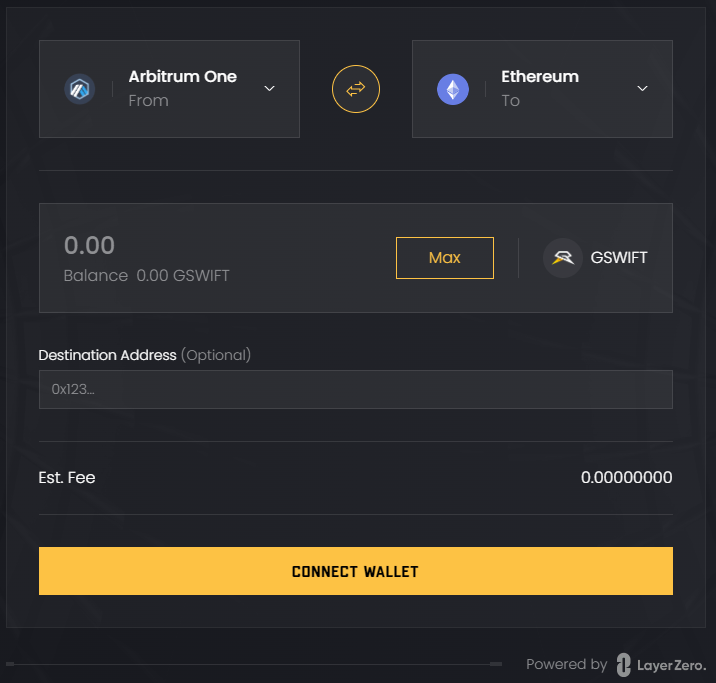
GameSwift Bridge, powered by LayerZero technology, and the versatile $GSWIFT omnitoken owned by GameSwift DAO.

[Bridge](https://gswift.community/bridge) allow to move the $GSWIFT token from the Arbitrum network to a different blockchain networks. The supported networks are:

* [Polygon](https://polygonscan.com/token/0x580E933D90091b9cE380740E3a4A39c67eB85B4c),&#x20;
* [Base](https://basescan.org/token/0x580E933D90091b9cE380740E3a4A39c67eB85B4c),&#x20;
* [zkSync](https://explorer.zksync.io/address/0xC38ABBBAF4D4221d4012c4BbfD9a5d615E8c6e57),&#x20;
* [Linea](https://lineascan.build/token/0x580E933D90091b9cE380740E3a4A39c67eB85B4c),&#x20;
* [Ethereum](https://etherscan.io/token/0x580e933d90091b9ce380740e3a4a39c67eb85b4c),
* [Scroll](https://scrollscan.com/token/0x580E933D90091b9cE380740E3a4A39c67eB85B4c).

<figure><img src="https://555693537-files.gitbook.io/~/files/v0/b/gitbook-x-prod.appspot.com/o/spaces%2FaSHxmc358lcC3DkSa65Z%2Fuploads%2FZoTXCb1ZqXq7mmDoAMTX%2Fimage.png?alt=media&amp;token=fab086b9-e4ac-4a30-9ab0-63f3093df19e" alt=""><figcaption><p>GameSwift Bridge - User Interface</p></figcaption></figure>

The bridge leverages LayerZero technology, making it a cutting-edge solution for seamless token transfers across different blockchain networks.

This campaign allows you to explore the potential of this technology through the GameSwift lens.


# Shop

Sign in with your GameSwift ID and exchange your G-BUCKS for items available in our Shop.

<figure><img src="https://555693537-files.gitbook.io/~/files/v0/b/gitbook-x-prod.appspot.com/o/spaces%2FaSHxmc358lcC3DkSa65Z%2Fuploads%2FcV1zoq392LWeubeQu4pB%2FZrzut%20ekranu%202024-06-4%20o%2013.17.52.png?alt=media&amp;token=337678e5-2851-4afe-aa02-f2783c5f88d4" alt="GameSwift Shop"><figcaption><p>GameSwift Shop</p></figcaption></figure>


# Platform

Sign in with your GameSwift ID and, while seamlessly interacting with other players, choose your favorite game to play from the rich library of high-quality products available on our Platform.

<figure><img src="https://555693537-files.gitbook.io/~/files/v0/b/gitbook-x-prod.appspot.com/o/spaces%2FaSHxmc358lcC3DkSa65Z%2Fuploads%2FtAE4rfevuilf7XnZ4mqk%2Fimage.png?alt=media&amp;token=7705eecc-2f46-46f8-822a-b502db99c11b" alt=""><figcaption><p>GameSwift Platform</p></figcaption></figure>


# Launcher

Browse through a rich library of high-quality web3 games to download and play your favorite ones in one app.

## Basic Functionality

GameSwift Launcher is a desktop application available for Windows and MacOS. Its main purpose is to enable users to install and update games, providing access to the latest versions. By minimizing the need to download entire games with each update, the launcher allows users to download only the necessary files.

<figure><img src="https://555693537-files.gitbook.io/~/files/v0/b/gitbook-x-prod.appspot.com/o/spaces%2FaSHxmc358lcC3DkSa65Z%2Fuploads%2FXQnxbbEA3EYxtQG90bcG%2Fimage.png?alt=media&amp;token=11df659e-589d-49ec-a0d6-af589cd3c7c2" alt=""><figcaption><p>GameSwift Launcher - Download Page</p></figcaption></figure>

## Development and Independence

Initially, the application was developed in collaboration with an external company. However, we eventually transitioned to working independently, which provided greater control over the product and its functionalities.

<figure><img src="https://555693537-files.gitbook.io/~/files/v0/b/gitbook-x-prod.appspot.com/o/spaces%2FaSHxmc358lcC3DkSa65Z%2Fuploads%2F8CL1qqtGNkfW82tEQeG9%2Fimage.png?alt=media&amp;token=954a7e85-d60f-47de-b473-8bd9b4808f83" alt=""><figcaption><p>GameSwift Launcher - GitHub Repository</p></figcaption></figure>

## Architecture and Technology

The launcher consists of two main parts: the front end, responsible for the user interface, and the back end, which manages logistics and game data distribution. The front end is entirely developed internally, allowing us to tailor the application to meet the specific needs and expectations of our users.

<figure><img src="https://555693537-files.gitbook.io/~/files/v0/b/gitbook-x-prod.appspot.com/o/spaces%2FaSHxmc358lcC3DkSa65Z%2Fuploads%2Fp6m9Epj5jrRvF3MKnaNN%2Fimage.png?alt=media&amp;token=dc799571-fca3-463b-bf8f-921bbacd5923" alt=""><figcaption><p>GameSwift Launcher - Backend Management Dashboard</p></figcaption></figure>

## Integration with the GameSwift Platform

The Launcher is tightly integrated with the GameSwift Platform. Users can conveniently log in using their GameSwift ID, facilitating seamless interaction between various ecosystem elements, including games and services.

<figure><img src="https://555693537-files.gitbook.io/~/files/v0/b/gitbook-x-prod.appspot.com/o/spaces%2FaSHxmc358lcC3DkSa65Z%2Fuploads%2FQXVRrVjMm5CDXOF7OZUw%2Fimage.png?alt=media&amp;token=a267ed8c-e346-426d-8af1-9b941333933d" alt=""><figcaption><p>GameSwift Launcher - SSO based integration with GameSwift Platform</p></figcaption></figure>

## Payment system and G-BUCKS

GameSwift Launcher works seamlessly with G-BUCKS, enabling users to make purchases and transactions within the gaming ecosystem. The integrated payment system simplifies expense management and cash flow.

## Role and branch capabilities

An important sales feature is that game producers can use our launcher to share builds with specific groups of people, such as investors or testers, granting them access to different builds.

<figure><img src="https://555693537-files.gitbook.io/~/files/v0/b/gitbook-x-prod.appspot.com/o/spaces%2FaSHxmc358lcC3DkSa65Z%2Fuploads%2FLAzrgGKjp88QxLrd4CKR%2Fimage.png?alt=media&amp;token=d4d03786-2bfa-4173-844a-db8f6fcb1776" alt=""><figcaption></figcaption></figure>


# GS Pay

GS Pay is the revolutionary system that propels you into the future of web3 payments. This cutting-edge product is powered by zero-knowledge-proof technology and unified premium assets called G-BUCK.

## The Benefits of GS Pay

<figure><img src="https://555693537-files.gitbook.io/~/files/v0/b/gitbook-x-prod.appspot.com/o/spaces%2FaSHxmc358lcC3DkSa65Z%2Fuploads%2FCwBbYhDD5oCC1t8dUw0e%2FGSPAY_BENEFITS.png?alt=media&amp;token=e09a8c13-ff45-469b-914f-07ed507e0134" alt=""><figcaption><p>GS Pay Benefits</p></figcaption></figure>

## GS Pay from GameSwift DAO

<figure><img src="https://555693537-files.gitbook.io/~/files/v0/b/gitbook-x-prod.appspot.com/o/spaces%2FaSHxmc358lcC3DkSa65Z%2Fuploads%2FrVntz5jC3UqTgNyssduO%2Fimage.png?alt=media&amp;token=7edc3e85-fe24-4229-a9c2-0dec3bbe05e2" alt=""><figcaption><p>GS Pay part available at gswift.community</p></figcaption></figure>

## GS Pay on GameSwift Platform

<figure><img src="https://555693537-files.gitbook.io/~/files/v0/b/gitbook-x-prod.appspot.com/o/spaces%2FaSHxmc358lcC3DkSa65Z%2Fuploads%2F17kz61fNhXaQ0Rd9BDJT%2Fimage.png?alt=media&amp;token=4eee3ecb-df54-4a23-98bd-1a52c8a72c36" alt=""><figcaption><p>GS Pay part available at platform.gameswift.io</p></figcaption></figure>


# Wallet

GameSwift Wallet is a cryptocurrency wallet that is part of the [GameSwift Platform](https://platform.gameswift.io/) that creates an individual GameSwift Wallet for each user during registration. Wallet helps users to buy *G-BUCK*:

<figure><img src="https://555693537-files.gitbook.io/~/files/v0/b/gitbook-x-prod.appspot.com/o/spaces%2FaSHxmc358lcC3DkSa65Z%2Fuploads%2FluERZRlCd5H772BARPKr%2Fimage.png?alt=media&amp;token=ccab9b57-9b93-42c9-93e4-eb5895fddce6" alt=""><figcaption><p>GameSwift Wallet on GameSwift Platform</p></figcaption></figure>


# CDN

## GameSwift CDN (*Content Delivery Network*)&#x20;

Is a distributed network of servers that are used to deliver content to users and gamers based on their geographic location.&#x20;

The main benefit of using a CDN is that it can significantly improve the loading speed and performance of a website or application by caching and delivering content from a server that is geographically closer to the user.&#x20;

This can result in:

* faster load times,
* improved user experience,
* increased engagement

Additionally, a CDN can also help to reduce the load on a primary server and improve the overall reliability and availability of a websites, applications and games.&#x20;

{% hint style="success" %}
This can help to protect against traffic spikes and DDoS attacks, and ensure that your assets remains accessible even during periods of high traffic.
{% endhint %}

## Features

* [x] Help Cache Content
* [x] Improve Performance
* [x] Improve Security
* [x] Fast Assets Access
* [x] Better Load Times
* [x] Content Availability

## Try it!

If you're looking to improve the performance and user experience of your websites, applications and games, GameSwift CDN is the perfect solution for you. With our fast, reliable, and globally distributed network of servers, we can help you deliver content to your users quickly and efficiently, no matter where they're located.&#x20;

By using GameSwift CDN, you can expect to see significant improvements in page load times, increased engagement, and a more satisfying user experience.&#x20;

Additionally, our state-of-the-art security features will protect your website or application from traffic spikes and DDoS attacks, ensuring that your users always have access to the content they need.&#x20;

*Don't wait any longer!*&#x20;

Sign up for GameSwift CDN today and see the difference for yourself!


# Unity-SDK

What is GameSwift Unity-SDK?

GameSwift Unity-SDK is Unity toolset created to integrate with GameSwift ID ecosystem. Our SDK is multiplatform - you can build your game for PC, mobile and even browser! *Aside from GameSwift SDK, we are preparing GameSwift analytics*.


# Getting started

In order to integrate your Unity game with the GameSwift gaming ecosystem, [import](https://docs.unity3d.com/Manual/upm-ui-giturl.html) our package to your project by providing the git URL.

```java
https://github.com/GameSwift/gameswift-unity-sdk.git
```

After successful import, fill `ClientAuthenticationSecret` field in `Assets/Resources/GameSwiftSDK/GameSwiftConfig.asset`. It is a mandatory api authentication token, which is unique for every game using the SDK. These secrets are [distributed by GameSwift](https://github.com/GameSwift/gameswift-unity-sdk#contact-us).

You can handle GameSwift login in 2 ways: [with launcher](https://github.com/GameSwift/gameswift-unity-sdk#logging-in-from-launcher) or [without launcher](https://github.com/GameSwift/gameswift-unity-sdk#logging-in-without-launcher). You can download GameSwift launcher [here](https://launcher.gameswift.io/). As long as your game targets Windows or MacOS, we strongly recommend to use data passed from our launcher. By doing so, you won't need to implement any login screen for your game as launcher already handles user credentials in a secure way. If you are building for mobile or web, you will need to create a login screen and implement connection with GameSwift backend manually.

### Logging in from Launcher

This section will help you integrate your game with GameSwift Launcher. This is a highly preferable and easier way of integrating with GameSwift ID as long as you build for PC or macOS. If you build for other platforms or prefer to do it manually (providing user email and password), please refer to the [option below.](#logging-in-without-launcher)&#x20;

1. Create a login class, which will be launched on application startup.
2. Call a method `GameSwiftSdkId.ReadUserInfoFromLauncher` in order to retrieve `AccessToken` from launcher's command-line arguments and store it in the SDK's `GameSwiftSdkId.Instance.CmdAccessToken` field used later in the authorization step.
3. Create success and fail handlers for this method.
4. In the success handler call `GameSwiftSdkId.Authorize` method, which will perform all of the next steps for you automatically. Remember to use stored `GameSwiftSdkId.Instance.CmdAccessToken` here. Also, provide your `clientId` and `redirectUri`. If the process is finished successfully you will be authorized and a new `AccessToken` will be stored in the SDK's `GameSwiftSdkId.Instance.AccessToken` field. From now on you should be using this token in each request.

```java
using GameSwiftSDK.Core;
using GameSwiftSDK.Id;
using GameSwiftSDK.Id.Responses;
using UnityEngine;

public class GameSwiftLauncherLogin : MonoBehaviour
{
	private const string CLIENT_ID = "yourClientId";
	private const string REDIRECT_URI = "yourRedirectUri";

	private void Awake()
	{
		if (Application.isEditor == false)
		{
			GameSwiftSdkId.ReadUserInfoFromLauncher(HandleSuccess, HandleFailure);
		}
	}

	private void HandleSuccess(OauthUserInfoResponse response) 
	{
		GameSwiftSdkId.Authorize(GameSwiftSdkId.Instance.CmdAccessToken,
			CLIENT_ID, REDIRECT_URI, HandleAuthorizeSuccess, HandleFailure);
	}

	private void HandleFailure(BaseSdkFailResponse response) 
	{
		Debug.LogError($"Login error, code: {response.statusCode}, message: {response.Message}");
		Application.Quit();
	}

	private void HandleAuthorizeSuccess(OauthUserInfoResponse response) 
	{
		// your code on success login
	}
}

```

Though we highly recommend using the above method, if you want to implement some specific for you project login use cases, you can execute authorization methods separately. Keep in mind though, that by doing this you will need to store `AccessToken` in your project by yourself as the last step. In order to authorize this way, instead of instructions described in the point 4, in the `GameSwiftSdkId.ReadUserInfoFromLauncher` success handler call these methods in sequence, one by one in their respective success handlers:

* `GameSwiftSdkId.GetAuthorizationCode` - use stored `GameSwiftSdkId.Instance.CmdAccessToken` here and provide your `clientId` and `redirectUri`.
* `GameSwiftSdkId.RetrieveOauthToken` - provide `authorizationCode` retrieved from the previous method's response (`AuthorizeResponse`) and provide your `clientId` and `redirectUri` again. This will generate an `AccessToken` returned in the request's response (`TokenResponse`).
* `GameSwiftSdkId.GetOauthUserInformation` - use your newly generated `AccessToken` here to get your user's information and on success store it somewhere in your project. From now on you should be using this token in each request.

### Logging in without Launcher

This section will help you integrate your game with GameSwift ID without launcher integration. This process requires a few extra SDK calls.

1. Create a login class, which will be attached to a login screen.
2. On a login event call a method `GameSwiftSdkId.LoginAndAuthorize` where you need to pass user's `emailOrNickname`, `password`, your `clientId` and `redirectUri` values.
3. Create success and fail handlers for this method.
4. If the process is finished successfully you will be logged in, authorized and a new `AccessToken` will be stored in the SDK's `GameSwiftSdkId.Instance.AccessToken` field. From now on you should be using this token in each request.

```java
using GameSwiftSDK.Core;
using GameSwiftSDK.Id;
using GameSwiftSDK.Id.Responses;
using TMPro;
using UnityEngine;
using UnityEngine.UI;

public class GameSwiftManualLogin : MonoBehaviour
{
	private const string CLIENT_ID = "yourClientId";
	private const string REDIRECT_URI = "yourRedirectUri";

	[SerializeField] private TMP_InputField emailOrNickname;
	[SerializeField] private TMP_InputField password;
	[SerializeField] private Button loginButton;

	private void OnEnable ()
	{
		loginButton.onClick.AddListener(LoginUser);
	}

	private void LoginUser ()
	{
		GameSwiftSdkId.LoginAndAuthorize(emailOrNickname.text, password.text,
			CLIENT_ID, REDIRECT_URI, HandleSuccess, HandleFailure);
	}

	private void HandleSuccess (OauthUserInfoResponse response)
	{
		// your code on success login
	}

	private void HandleFailure (BaseSdkFailResponse response)
	{
		Debug.LogError($"Login error, code: {response.statusCode}, message: {response.Message}");
	}

	private void OnDisable ()
	{
		loginButton.onClick.RemoveListener(LoginUser);
	}
}
```

Though we highly recommend using the above method, if you want to implement some specific for you project login use cases, you can execute separate login and authorization methods. In order to achieve this, instead of calling a `GameSwiftSdkId.LoginAndAuthorize` method call these methods in sequence, one by one in their respective success handlers:

* `GameSwiftSdkId.Login` - provide user's `emailOrNickname` and `password`.
* `GameSwiftSdkId.GetAuthorizationCode` - use the `AccessToken` retrieved from `GameSwiftSdkId.Login` method's response (`LoginResponse`) here. Also, provide your `clientId` and `redirectUri`.
* `GameSwiftSdkId.RetrieveOauthToken` - provide `authorizationCode` retrieved from the previous method's response (`AuthorizeResponse`) and provide your `clientId` and `redirectUri` again. This will generate an `AccessToken` returned in the request's response (`TokenResponse`).
* `GameSwiftSdkId.GetOauthUserInformation` - use your newly generated `AccessToken` here to get your user's information and on success store it somewhere in your project. From now on you should be using this token in each request.

## Multiple Logins Blocker

You need to have your client set up to block multiple login attempts for this component to work. To configure `Multiple Logins Blocker` you need to edit `MultipleLoginsBlockerData.asset` scriptable object which should be automatically created on Unity asset refresh in the `Assets/Resources/GameSwiftSDK/` directory. When SDK instance in created this component will start working automatically in the background (if is turned on in the config file). Every specified number of seconds it will be sending hearbeats do the server to keep the lock. If you don't use our recommended login approaches, remember to call `GameSwiftSdkId.GetOauthUserInformation` method as the last step of login process. This will be your first sent heartbeat and will initialize the process.

## Hello Hero

Hello Hero is our sample application that shows how your game can be properly integrated with our SDK. In the aplication we can test requests to the `GameSwift ID` and we can see some basic results in the panel `Output`. Feel free to experiment with it!


# Preparation for the game launch

After successfully building the game and integrating it with our SDK, follow these steps:

1. Archive the game build to `*.zip`.
2. Share the zipped game with us (also available in the [form](https://gameswift.io/forms/launcher)).
3. Fill out the [form](https://gameswift.io/forms/launcher) with the details of your game (filling out the form is required to integrate into GameSwift Solutions).
4. [Contact ](mailto:peter@gameswift.io)us to confirm requirements are fulfilled.
5. Run your game using our [Launcher](https://launcher.gameswift.io/).
6. To add your game also to our Platform fill out the [form](https://gameswift.io/forms/platform).


# Troubleshooting

You can also see a detailed description of our Unity-SDK documentation [here](https://unity-sdk.gameswift.io/).

In case of any problems, feel free to contact us at <peter@gameswift.io>.


# Unreal-SDK

What is GameSwift Unreal-SDK?

GameSwift Unreal SDK is a toolset created to to help you seamlessly integrate [GameSwift ecosystem](https://platform.gameswift.io/) into your Unreal Engine projects. Key features of GameSwift Unreal SDK are:

* **Rapid integration**

  Installation and integration process is streamlined and can be completed in under 30 minutes. This means you can focus more on building your game and less on complex API integration.
* **Safety**

  Firstly, [GameSwift Launcher](https://launcher.gameswift.io/) is equipped with a robust DRM system that guarantees players launch your game without altering any game files. Secondly, [Multiple Logins Blocker](https://github.com/GameSwift/gameswift-unreal-sdk#multiple-logins-blocker) ensures that a user account is logged in from exactly one device at a time. Both of these features prevent various types of abuses and help you maintain a secure and fair gaming environment.
* **Blueprint support**

  All SDK features can be accessed both in C++ code and in the Unreal Engine Blueprint system. This versatility ensures that not only programmers but also non-coding individuals can work on GameSwift ecosystem integration.
* **Multiplatform support**

  The wrapper is designed to work seamlessly on multiple platforms, making it adaptable for a variety of game development projects. You can bring the best gaming experiences with GameSwift Unreal SDK for Windows, MacOS and mobile.

GameSwift Unreal SDK is compatible with Unreal Engine versions 4.24 and beyond. We are committed to keeping it up-to-date with newer Unreal Engine releases, including Unreal Engine 5 and upcoming versions.


# Installation

1. Add SDK to you project. This can be done in two ways:
   * Add SDK as [git submodule](https://git-scm.com/book/en/v2/Git-Tools-Submodules) to your repository by invoking the following command:

     ```
     git submodule add https://github.com/GameSwift/gameswift-unreal-sdk YourMainProjectDir/Plugins/GameSwiftUnrealSdk
     ```
   * Download this repository contents from [newest release](https://github.com/GameSwift/gameswift-unreal-sdk/releases/) and unpack the plugin to the `Plugins/GameSwiftUnrealSdk` folder. If you don't have a `Plugins` folder in your main project directory yet, create it.
2. Open Project Settings in the editor and navigate to `Plugins > GameSwiftSdk`. Fill in following fields: `ClientId`, `ClientRedirectUri`, `ClientAuthenticationSecret`. These secrets are [distributed by GameSwift](https://github.com/GameSwift/gameswift-unreal-sdk#contact-us).

   <figure><img src="https://camo.githubusercontent.com/d2fc3f25811a743818d70c7acbc17b83bdc76407500f6f27af45ab6bbb3f19f3/68747470733a2f2f63646e2e67616d6573776966742e696f2f67616d6573776966742f696d616765732f73646b2f756e7265616c5f73646b2f75655f706c7567696e2e706e67" alt=""><figcaption></figcaption></figure>
3. Add `GameSwiftSdk` to `PublicDependencyModuleNames` in your main `*.Build.cs` file.


# Integration

You can handle GameSwift login in 2 ways: [with launcher](https://github.com/GameSwift/gameswift-unreal-sdk#logging-in-from-launcher) or [without launcher](https://github.com/GameSwift/gameswift-unreal-sdk#logging-in-without-launcher). You can download GameSwift launcher [here](https://launcher.gameswift.io/). As long as your game targets Windows or MacOS, we strongly recommend to use data passed from our launcher. By doing so, you won't need to implement any login screen for your game as launcher already handles user credentials ina secure way.If you are building for mobile, you will need to create a login screen and implement connection with GameSwift backend [the other way](https://github.com/GameSwift/gameswift-unreal-sdk#logging-in-without-launcher).

No matter which approach you choose (C++ or Blueprints), be sure that `AuthorizeAndReadUserInfoFromLauncher` or `LoginAndAuthorize` is called at the application startup.This method wil succeed provided that:

1. User has internet connection.
2. User did not attempt to login simultaneously from multiple devices (applicable only for applications with [Multiple Logins Blocker](https://github.com/GameSwift/gameswift-unreal-sdk#multiple-logins-blocker) enabled).
3. User launched the game via launcher instead of your game executable file (provided that you used [with launcher](https://github.com/GameSwift/gameswift-unreal-sdk#logging-in-from-launcher) flow).

Otherwise, you should retry calling this method or close the application as it may not be launched the intended way.

### [Launcher authentication - C++](https://github.com/GameSwift/gameswift-unreal-sdk#launcher-authentication---c) <a href="#user-content-launcher-authentication---c" id="user-content-launcher-authentication---c"></a>

Authorizing the user and getting his info can be done by calling `UGameSwiftAuthenticationManager::AuthorizeAndReadUserInfoFromLauncher`.

```
void ASampleCharacter::ReadUserInfoFromLauncher()
{
	FGetUserInfoDelegate SuccessDelegate;
	SuccessDelegate.BindUFunction(this, "OnSuccess");
	FBaseSdkFailDelegate FailDelegate;
	FailDelegate.BindUFunction(this, "OnError");
	
	UGameSwiftAuthenticationManager::AuthorizeAndReadUserInfoFromLauncher(SuccessDelegate, FailDelegate);
}

void ASampleCharacter::OnSuccess(const FOAuthUserInfoResponse& Response)
{
	// success - you can read user nickname and other data from Response
}

void ASampleCharacter::OnError(const FBaseSdkFailResponse& Response)
{
	// fail - close the application or retry authorization
}
```

### [Launcher authentication - Blueprint](https://github.com/GameSwift/gameswift-unreal-sdk#launcher-authentication---blueprint) <a href="#user-content-launcher-authentication---blueprint" id="user-content-launcher-authentication---blueprint"></a>

`AuthorizeAndReadUserInfoFromLauncher` node is responsible for authorizing the user, who accessed the game through GameSwift Launcher.

<figure><img src="https://camo.githubusercontent.com/1fd1edf5e9b549197a3224bb06c9c72b640a4d10e2f81275e0408d5375607ae3/68747470733a2f2f63646e2e67616d6573776966742e696f2f67616d6573776966742f696d616765732f73646b2f756e7265616c5f73646b2f626c75657072696e745f6c61756e636865722e706e67" alt=""><figcaption></figcaption></figure>

### [Non-launcher authentication - C++](https://github.com/GameSwift/gameswift-unreal-sdk#non-launcher-authentication---c) <a href="#user-content-non-launcher-authentication---c" id="user-content-non-launcher-authentication---c"></a>

With this approach you need to create a custom login widget, which will enable user to input the login data and authorize.

Authorizing the user and getting his info can be done by calling `UGameSwiftAuthenticationManager::LoginAndAuthorize`.

```
void ASampleCharacter::LoginAndAuthorize()
{
	Fstring EmailOrNickname = "bob.smith@example.com";
	Fstring Password = "Password123";
	FGetUserInfoDelegate SuccessDelegate;
	SuccessDelegate.BindUFunction(this, "OnSuccess");
	FBaseSdkFailDelegate FailDelegate;
	FailDelegate.BindUFunction(this, "OnError");
	
	UGameSwiftAuthenticationManager::LoginAndAuthorize(EmailOrNickname, Password, 
	SuccessDelegate, FailDelegate);
}

void ASampleCharacter::OnSuccess(const FOAuthUserInfoResponse& Response)
{
	// success - you can read user nickname and other data from Response
}

void ASampleCharacter::OnError(const FBaseSdkFailResponse& Response)
{
	// fail - close the application or retry authorization
}
```

### [Non-launcher authentication - Blueprint](https://github.com/GameSwift/gameswift-unreal-sdk#non-launcher-authentication---blueprint) <a href="#user-content-non-launcher-authentication---blueprint" id="user-content-non-launcher-authentication---blueprint"></a>

`GetUserCredentials` node in the sample below is your implementation of retrieving login data from your custom login widget. Then, you can pass retrieved data to `LoginAndAuthorize` node.

<figure><img src="https://camo.githubusercontent.com/24c6ba6423a24899d216e756edc4bc23a282ee092ef2ff410439ab83c0f9e555/68747470733a2f2f63646e2e67616d6573776966742e696f2f67616d6573776966742f696d616765732f73646b2f756e7265616c5f73646b2f626c75657072696e745f6e6f6c61756e636865722e706e67" alt=""><figcaption></figcaption></figure>

### [Multiple Logins Blocker](https://github.com/GameSwift/gameswift-unreal-sdk#multiple-logins-blocker) <a href="#user-content-multiple-logins-blocker" id="user-content-multiple-logins-blocker"></a>

Multiple Logins Blocker is an optional, powerful feature of GameSwift Unreal SDK that ensures a user's account can only be logged in on one device at a time. This component's setup is done in Project Settings under `Plugins > GameSwiftSdk`.

If enabled, this component works in background of your game, sending periodic heartbeats to GameSwift server at time intervals specified by you. When server receives these heartbeats, it recognizes that the user is already logged in and will block any additional login attempts from this user for a configurable duration. If you want to configure the lock duration, feel free to [contact us](https://github.com/GameSwift/gameswift-unreal-sdk#contact-us).


# Troubleshooting

You can also see a detailed description of our Unreal-SDK documentation [here](https://unreal-sdk.gameswift.io/).

If you have any questions, concerns, or feedback, please don't hesitate to reach out to GameSwift team. We're here to assist you and can be contacted via email at <piotr.sobiecki@gameswift.io>.